Feat 01
RubiCute
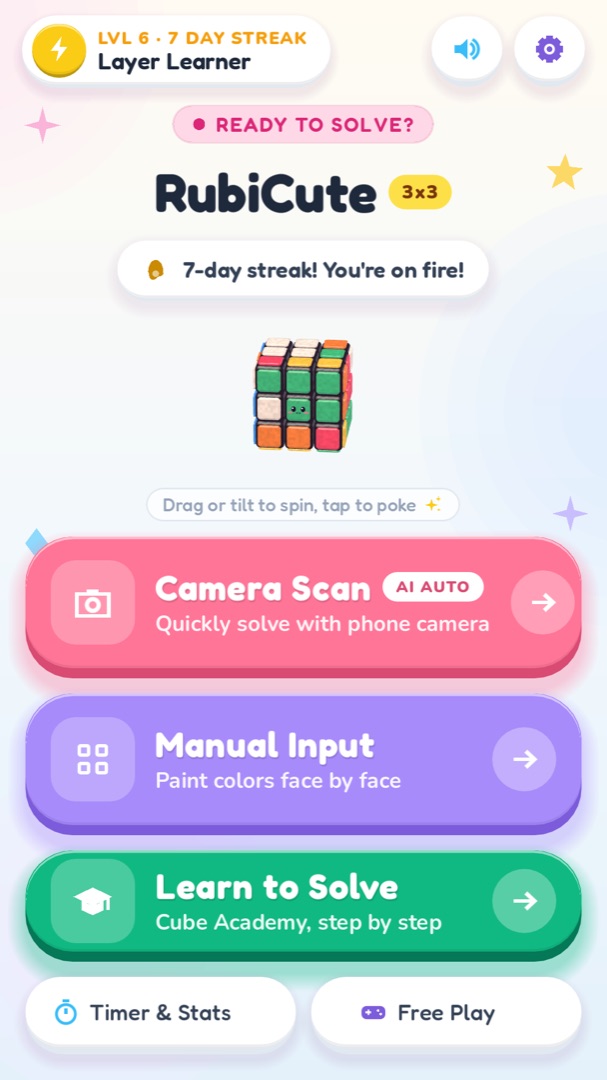
A squishy pastel cube helper. Scan your scrambled 3x3 cube with the camera or paint it in, get a solution of about 20 moves in a blink, and follow it turn by turn on a cute 3D clay cube. Then learn the beginner method yourself in nine Cube Academy lessons.
Coming Soon to App Store & Google PlayPlay the browser version now. The mobile apps are on their way.
Instant browser play
No download, no account
Version 0.1.0
Free to play
No sign-up
About the game
What is RubiCute?
RubiCute is a friendly helper for the classic 3x3 puzzle cube. Its mascot, Rubi, is a squishy clay cube with a smiley face, and the whole app is dressed in soft candy pastels. It does two jobs: it solves any scrambled cube you show it, and it teaches you how to solve the cube on your own.
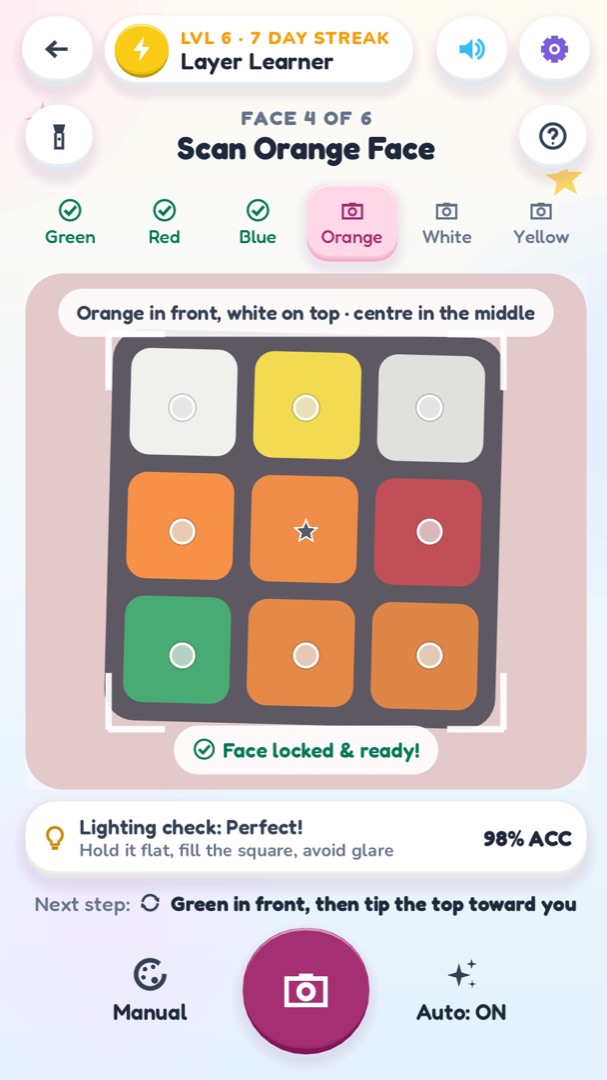
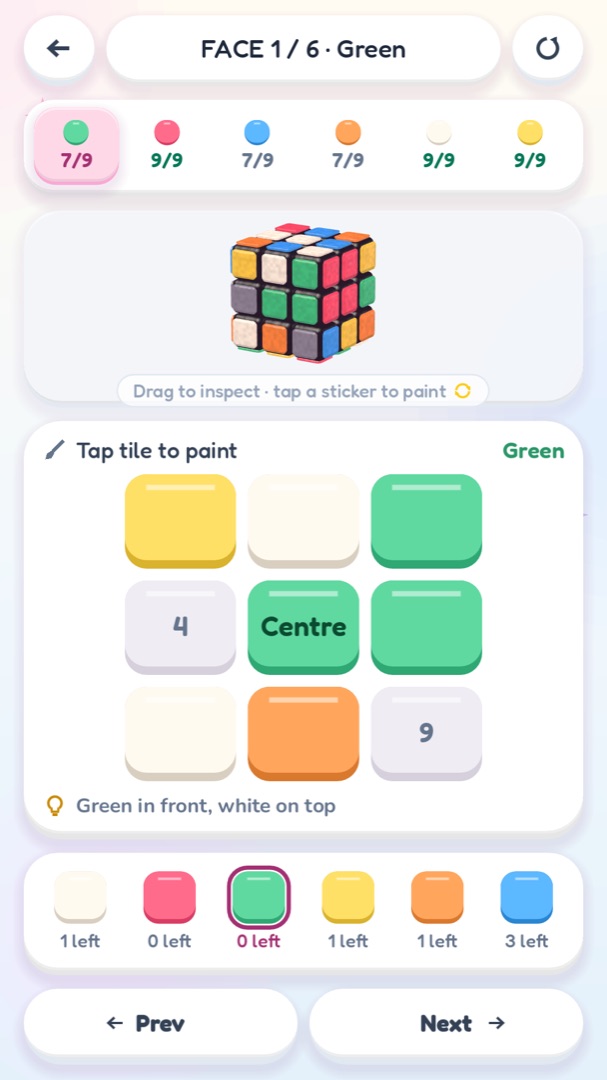
To solve a cube, you first tell RubiCute what it looks like. Camera Scan walks you through the six faces in order, green, red, blue, orange, white and yellow, and captures each face automatically as soon as the colour dots stop changing. If the light is tricky, Manual Input lets you paint the stickers face by face, or tap them directly on the 3D cube. Before solving, RubiCute checks that the cube is possible and explains what is wrong if it is not, such as a twisted corner, a flipped edge or two swapped pieces.
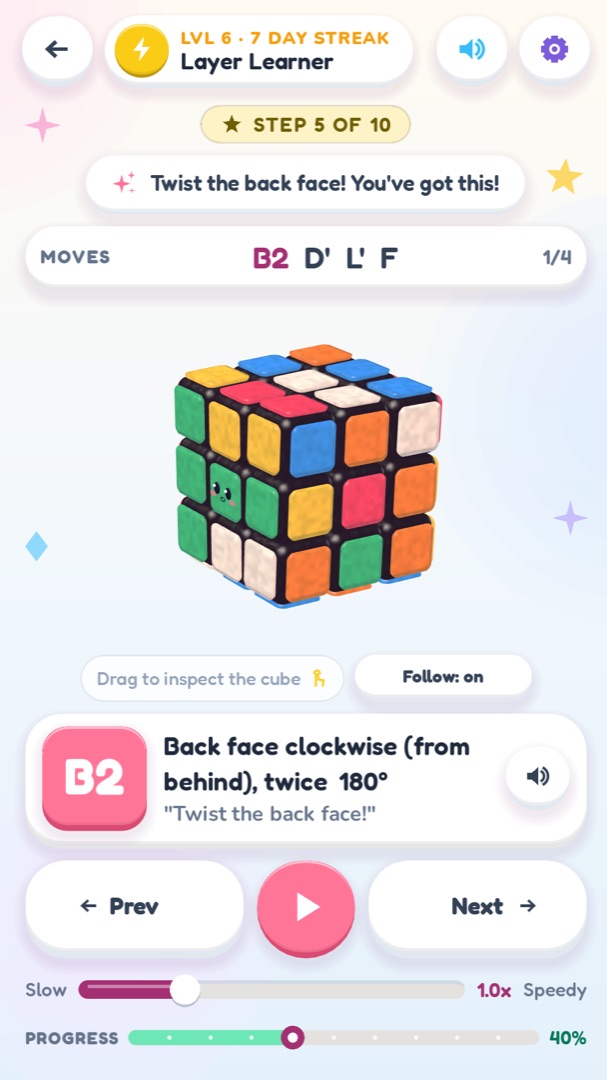
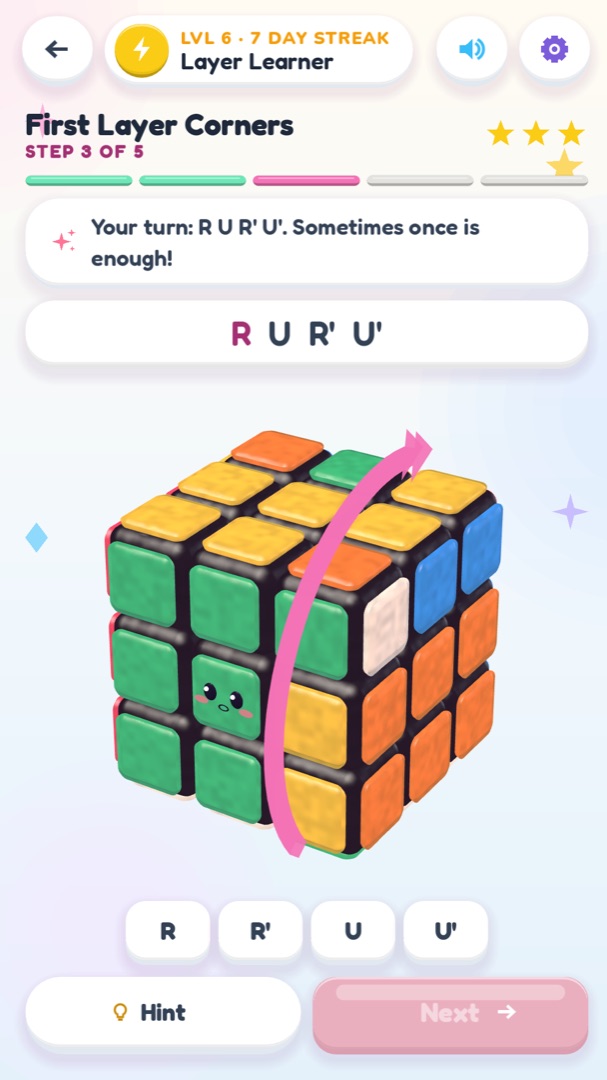
The solver uses Herbert Kociemba's two-phase algorithm and runs entirely on your phone, so no internet is needed. It usually finds a solution of about 20 moves in well under a second. You then follow it on a 3D clay cube: a ring arrow shows which layer to turn and which way, the move card spells it out in plain words such as Right layer up, and you can step forward and back, play it automatically, change the speed, jump along the timeline or have each move read aloud.
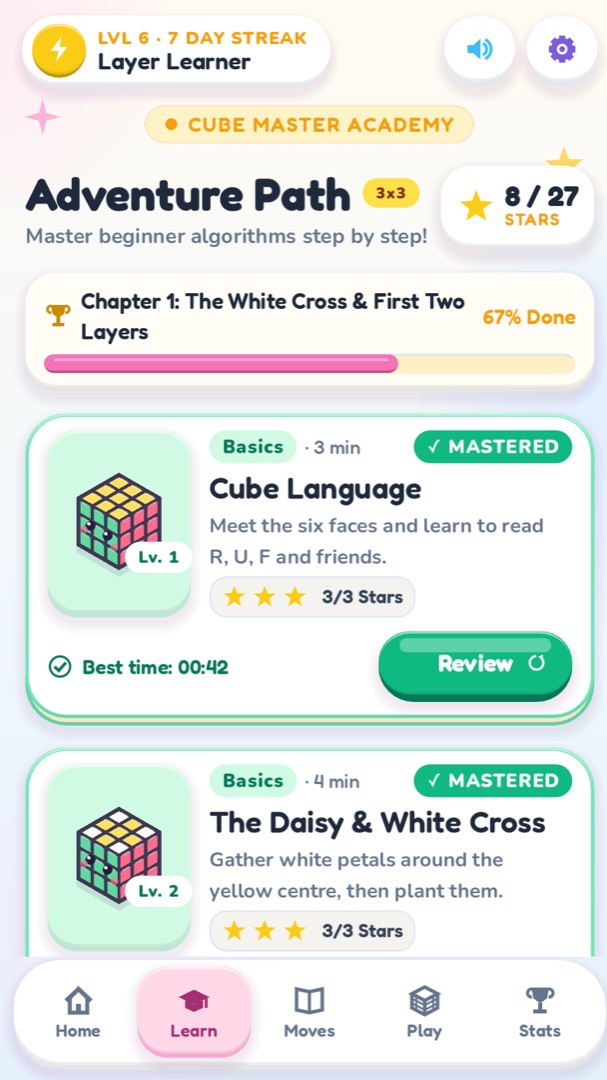
When you want to learn, the Cube Academy teaches the beginner layer-by-layer method in nine short lessons, from reading the notation to the last layer, plus a lesson on finger tricks. There is also a searchable Move Library, a Free Play cube to scramble and solve against the clock, and a speedcubing timer for your real cube. RubiCute is being prepared for iPhone, iPad and Android; your progress is saved on your device.
Guide
How to play
- 1
Scan or paint your cube
Tap Camera Scan and hold each face in the square with the named centre in the middle; the app captures it when the colours settle. Or tap Manual Input and paint the stickers with the palette.
- 2
Check the colours
After a scan, the cube opens in Manual Input so you can fix any sticker the camera misread. Press Solve when every face is complete.
- 3
Pick your pace
On Solver Setup choose Kid Steps, Pro Notation or Audio Guide, set the speed, and switch haptics or spoken moves on or off.
- 4
Follow the moves
Hold your real cube the same way as the 3D cube, white on top and green in front, and copy each turn shown by the arrow. Press Next for each move, or Play to run them automatically.
- 5
Learn it yourself
Open Learn to Solve and work through the Academy lessons. Each one mixes short explanations, demonstrations and practice turns on the virtual cube.
Controls
| Action | Touch |
|---|---|
| Turn a layer | Swipe across a sticker on the 3D cube |
| Spin the cube | Drag on the background, or tilt your phone on the home screen |
| Zoom | Pinch |
| Paint a sticker | Tap a tile in the grid or a sticker on the cube |
| Step through a solution | Prev, Play and Next buttons, or tap the timeline |
| Start and stop the timer | Hold the pad until it turns mint, let go to start, tap to stop |
Game manual
Scan, solve and learn the 3x3 cube
Feat 02
Two-phase solver on your phone: about 20 moves, no internet needed
Feat 03
Step-by-step 3D solution with arrows, speed control and spoken moves
Feat 04
Cube Academy: nine lessons on the beginner layer-by-layer method
Feat 05
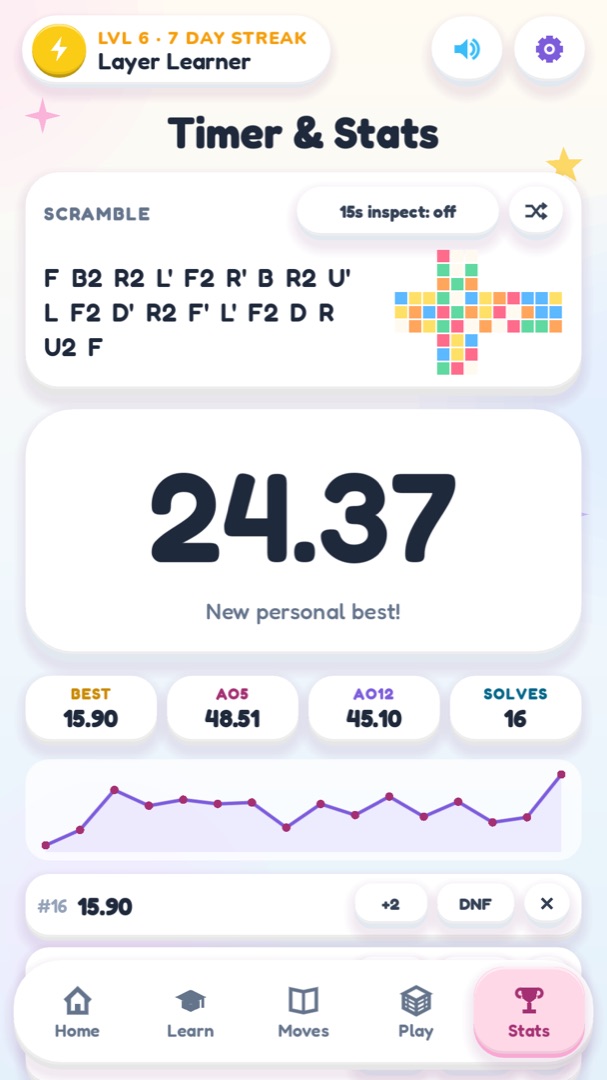
Move Library, Free Play and a speedcubing timer with Ao5 and Ao12
Strategy
Tips for higher scores
Scan in soft, even light and keep glare off the stickers; the light boost button helps in dim rooms.
Always hold the cube the way the screen says: white on top and green in front for the side faces.
If the app says a corner is twisted or an edge is flipped, check the stickers of that piece on both faces.
Turn on Camera follows moves so the 3D cube always faces the layer that is about to turn.
Slow the speed down when you are copying moves on a real cube, and speed it up when you only want to watch.
In lessons, a wrong turn is undone for you, but it costs a star, so take your time.
The sexy move, R U R' U', appears in many algorithms; practise it in the Move Library until it feels smooth.
Use the timer's 15-second inspection to plan your first moves before you start the clock.
Captured in game
Screenshots
FAQ
Questions players ask
Is RubiCute free?
Yes. It is free to download and use, with occasional ads between sessions.
Do I need an internet connection or an account?
No. The solver, lessons and timer all work offline, and there is no account or sign-in.
Which cubes does it support?
The standard 3x3 cube with the usual colours. If your stickers are a different shade, Manual Input lets you paint them.
How many moves does a solution take?
Usually around 20. The solver keeps looking for a shorter solution for a fraction of a second before showing it.
What if the camera reads a colour wrong?
After scanning, every face opens in Manual Input so you can fix individual stickers before solving.
Does the app keep my camera images?
No. It only reads the colours of the stickers on the device and discards the images straight away.
Can I learn to solve the cube without the app?
That is what the Cube Academy is for. Its nine lessons teach the beginner layer-by-layer method step by step.
Is there a speedcubing timer?
Yes. Timer & Stats has scrambles, optional inspection, +2 and DNF, best time, Ao5, Ao12 and a progress chart.
Changelog
Updates
- Version 0.1.0
- First release: Camera Scan, Manual Input and a two-phase solver that works offline.
- Step-by-step 3D solution player with arrows, speed control, camera follow and spoken moves.
- Cube Academy with nine lessons, Move Library, Free Play and a speedcubing timer.
Ready to play RubiCute?
Jump in right now in your browser, or grab the mobile version when it lands in the stores.